Hair Color & Hairstyle Try On
Toon Tech LtdBeauty
4.3124.00 Reviews
- Version
- 9.8.9
- Installs
- 100.00K
- Age Rating
- Everyone
Screenshots
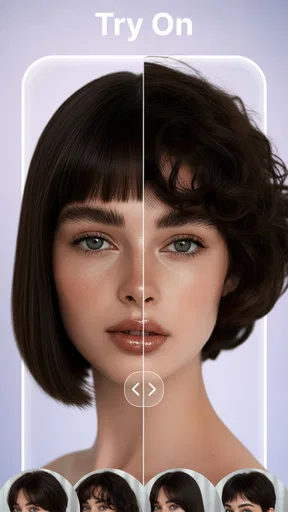
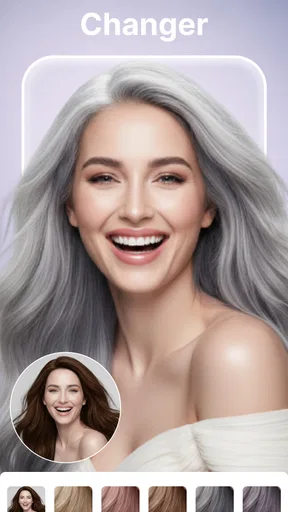
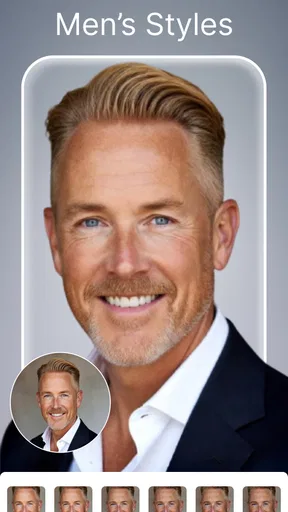
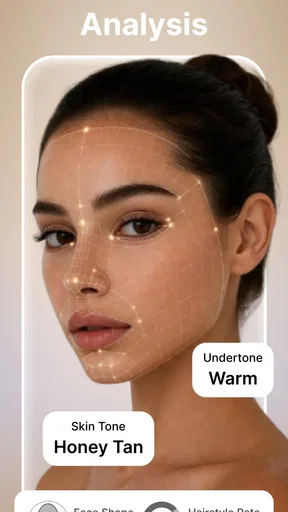
Our Review of Hair Color & Hairstyle Try On
 Analysis by Appyee
I find a hair-color preview most useful when it helps me narrow down choices, not when it pretends to guarantee what a salon result will look like. Hair Color Try On – AI Changer is built for that first, low-stakes step: exploring possible shades on a photo before deciding whether to ask a stylist, buy color, or keep my current look. It is a beauty app from Toon Tech Ltd, and the idea is appealing if you like visual experiments but want to avoid committing based on a swatch or a passing impulse.
What a photo preview can—and cannot—settle
I would use the app as a conversation starter rather than a final color consultation. A preview can help me compare the overall impression of warm copper, cool brown, or a vivid shade on my face, but a phone image is not a reliable promise of how dye will behave on real hair. Existing color, hair condition, salon technique, and the light in the room all affect the outcome. That distinction matters most for a dramatic change: use the image to explain the direction you like, then ask a stylist what is realistic for your hair.
The app’s AI analysis and virtual try-on concept are especially handy when I am choosing between two very different moods. Instead of trying to imagine a shade from a small swatch, I can look at a version of myself and ask whether it feels like me. It is also a simple way to test an adventurous color privately before sharing the idea with anyone else.
Getting a useful result from a quick session
For a more dependable comparison, I would start with a clear, front-facing photo in even light, with the hair visible against a relatively simple background. Then I would keep the pose and lighting constant while testing shades. If I change the photo between options, it becomes harder to tell whether I prefer the color or simply the different lighting. A plain backdrop is useful for another reason: the original review experience found that busy backgrounds can make hairline detection less dependable.
I would also compare a restrained version of a shade with a stronger one before judging it. A saturated preview can be fun, but it may be less useful for deciding on a subtle everyday change. Save a small shortlist rather than a large pile of near-identical images, and look at those again later. This turns a playful session into a practical decision aid without treating the simulation as a promise.
Speed expectations and longer sessions
Trying a shade on a prepared photo is the sort of task I would expect to fit into a short break, but the experience depends on the photo and the device. I would not judge the result from one difficult image and assume every picture will behave the same way. A clean selfie is a sensible starting point; if the boundary around the hair looks uncertain, retaking the photo is likely more useful than repeatedly adjusting the same poor input.
Longer sessions are where a little restraint helps. Testing many colors can make the choices blur together, especially when the differences are slight. I prefer to decide on a few families—natural, lighter, and bold—then compare a couple of candidates from each. That keeps the exercise focused and makes it easier to share a meaningful shortlist with a friend or stylist.
Reliability, access, and value
As with any photo-based preview, I would treat the output as an approximation. Hair that blends into the background, loose strands, or uneven lighting can complicate the result, so the app is not equally convincing on every photo. When a preview looks oddly edged or misses part of the hair, I would try a simpler image before drawing conclusions about the shade itself.
The app is free to download, with optional in-app purchases ranging from $6.99 to $59.99 per item. Its average rating is 4.2 from around 1.7 thousand ratings, and it has over 50 thousand installs. It is rated for Everyone. Those figures offer a little context, but they do not tell me whether a particular photo will produce a convincing result; the quality of the input remains important.
My practical verdict is that this is a useful, low-pressure color exploration tool, not a substitute for professional advice or a real-world strand test. I would recommend it to someone who wants to compare looks before booking a consultation, and I would skip it if I needed a precise prediction of a chemical treatment or a detailed salon plan. If you go in with that boundary clear, it can make the “what if?” stage more visual and a lot more fun.
Trying Colors Without the Salon Commitment
Ever wondered how you’d look with a bold new hair color but didn’t want the commitment or potential hair disaster? Enter the world of Hair Color Try On – AI Changer, an app designed to let you experiment with different hair shades without the salon drama. I’ve spent some time playing around with this app, and let me tell you, it’s a game-changer for anyone who loves to switch up their look.
First things first, downloading Hair Color Try On – AI Changer is a breeze. Available on both Android and iOS, it’s just a quick search away on your app store. Once installed, the app welcomes you with a user-friendly interface that even the least tech-savvy of us can navigate with ease.
The app prompts you to either upload a photo from your gallery or take a new one. I opted to take a fresh selfie, ensuring good lighting and a neutral expression. Trust me, the lighting makes all the difference when you’re trying to see how that fiery red will look against your skin tone.
Exploring the Color Palette
The real fun begins once you’ve got your photo ready. The app boasts an impressive array of hair color options, from subtle highlights to neon hues that scream for attention. I was particularly drawn to trying out the pastel colors – because, why not? You only live once, right?
Each color is applied with impressive accuracy. The app uses AI technology to ensure the color blends naturally with your existing hair, taking into account your hair texture and lighting. It’s almost like having a digital hair stylist in your pocket. Fancy a change from brunette to platinum blonde? Done. Want to see if emerald green suits your vibe? No problem.
Features That Stand Out
One feature I absolutely loved is the ability to adjust the intensity of the color. Not sure if you’re ready to go full-on pink? You can dial it down to a subtle rose gold. This level of customization ensures you get a realistic preview of the color without any surprises.
Another cool feature is the ability to save and share your new looks. I had a blast sending different versions of myself to friends, asking for their opinions. It’s a great way to get a second (or third) opinion before making any permanent changes.
What Could Be Better?
While the app is pretty spot on, it’s not without its quirks. For instance, the AI sometimes struggles with detecting hairlines in photos with complex backgrounds. A simple fix? Make sure your photo has a plain background for the best results.
Also, while most features are free, some premium colors and features are locked behind a paywall. It’s not a dealbreaker by any means, but something to keep in mind if you’re hoping to try every color under the sun.
Final Thoughts
Overall, Hair Color Try On – AI Changer is a fantastic tool for anyone curious about experimenting with new hair colors. It’s easy to use, offers a wide range of options, and provides a realistic preview of potential new looks. Whether you’re looking to make a drastic change or just want to have some fun with colors, this app has got you covered.
So, go ahead, give it a whirl. Who knows? You might just find your next signature hair color without ever needing to leave your living room.
Where it fits among hair-color tools
Compared with browsing color charts or looking at inspiration photos, a try-on app gives you a more personal reference: you can judge the shade alongside your own features instead of guessing from someone else’s hair and lighting. That makes it useful for narrowing a shortlist, especially when you are unsure whether you want a small change or something conspicuous. A salon consultation is still the better choice for advice about lifting, covering, or maintaining a particular color; this app is strongest earlier in the process, when you are deciding what to ask about.
It also suits a different purpose from a general photo editor. Editing tools can be flexible, but they often require manual work that distracts from the simple question of how a shade might look. Here, the appeal is the focused hair-color experiment. The trade-off is that an automated edge can misread curls, flyaways, or hair against a patterned background. If precise retouching is the priority, a dedicated editor may offer more control; if quick visual comparisons are the priority, this focused approach is easier to understand.
A realistic way to use it before an appointment
Imagine I have a salon appointment coming up and keep wavering between a soft brown refresh and a warmer copper direction. I would take one well-lit photo, try both families at comparable intensity, and save only the versions that still appeal after a short pause. At the appointment, I could show those images as references while explaining that I understand they are simulations, not guaranteed results. That gives the stylist a clearer starting point without asking the app to answer questions it cannot settle.
For an everyday, no-appointment scenario, I might test a brighter shade before a party or a themed event, then share one or two previews with a friend. In that case, the point is entertainment and a quick sense of the look, not a permanent decision. Keeping those purposes separate is useful: playful experimentation can be forgiving, while decisions involving bleaching or a major color correction deserve professional input.
Device and session considerations
The app’s current version is 9.2.9, and the listed minimum operating-system requirement is 7.1. If your phone meets that requirement, the remaining practical question is how comfortably it handles your chosen photo and the editing session. I would use a well-lit original image rather than a heavily filtered or compressed one, since filters can shift skin and hair tones and make the preview harder to interpret. A large image may also take more effort to process than a simple selfie, so starting with a straightforward picture is a sensible way to keep the first attempt uncomplicated.
I would not assume that every photo will be equally quick or clean. The main variable visible to the user is often the image itself: a clear outline gives the hair treatment a better chance of looking coherent, while a busy setting creates more room for imperfect edges. If the result seems stuck or visually messy, I would try a second, simpler photo before repeating the same operation. That is a practical recovery step, not a guarantee that every detection issue can be fixed.
Who is likely to enjoy it—and who may not
I think it is best for curious people who want a low-effort preview, enjoy trying unusual shades, or need help turning a vague idea into a visual reference. It can also make a useful shared activity: each person can react to a few saved options rather than debating color names that mean different things to different people. The intensity adjustment is particularly helpful here, since comparing a toned-down option with a bolder one can reveal whether you like the hue itself or simply the drama of a very vivid edit.
I would steer away from relying on it if you need a dependable forecast of the final result, have a complicated color-correction question, or expect perfect masking around every strand. It is also less compelling if you already know exactly what you want and are ready to discuss the technical plan with a stylist. In those cases, a consultation and a real strand test are more relevant than another screen preview.
Making the purchase decision thoughtfully
Because the app is free to install but offers paid items, I would first decide what I actually need from it before spending anything. If the free options already let me compare the shades I care about, there may be no reason to buy more. If I am considering an in-app purchase, I would check what that specific item unlocks and whether it suits my purpose rather than assuming every color or tool is included. That small pause helps keep a casual experiment from turning into an unnecessary purchase.
Overall, I see its performance as suitable for quick, photo-led exploration when the input is clear and expectations are realistic. It is not a demanding hair-color workstation, and it cannot replace a human stylist’s judgment; its value is making early decisions more concrete. For someone weighing a new shade, that focused role is enough to make it worth trying, while anyone seeking certainty about a real dye job should treat the image as inspiration and get advice from a professional.
Privacy and Permissions
See what permissions an app requests and how it handles your data.
- Phone
- read phone status and identity
- Photos/Media/Files
- read the contents of your USB storage, modify or delete the contents of your USB storage
- Storage
- read the contents of your USB storage, modify or delete the contents of your USB storage
- Camera
- take pictures and videos
- Device ID & call information
- read phone status and identity
- Other
- view network connections, full network access, control vibration, prevent device from sleeping, Google Play license check
Verdict
Strengths of Hair Color & Hairstyle Try On
- Realistic color transformations.
- Wide variety of color options.
- User-friendly interface.
- Quick processing time.
- No need for in-app purchases.
Limitations of Hair Color & Hairstyle Try On
- Occasional app crashes.
- Limited hairstyle options.
- Ads can be intrusive.
- Requires strong internet connection.
- Some colors appear unnatural.
Similar Picks in This Category
View All
Beauty Makeup Editor & Camera
Photo & Video Editors - Instant Solution4.7

Perfect365: Face Makeup Editor
Perfect365, Inc.3.5

Mirror Plus - HD Mirror app
Digitalchemy, LLC4.8

Cute Lock Screen & Wallpapers
Prometheus Interactive LLC4.6

HD Camera for Android
One Music Player4.5

Phone Mirror app - True Mirror
Cards4.6
Frequently Asked Questions
How does the Hair Color Try On – AI Changer app work?
The Hair Color Try On – AI Changer app utilizes advanced AI technology to detect your hair in photos and apply different colors in real-time. Simply upload or take a photo, and the app will automatically identify your hair, allowing you to experiment with a variety of colors to see what suits you best.
Is the Hair Color Try On app free to use?
The app offers a free version with basic features, such as trying out a limited range of hair colors. However, a premium version is available for purchase, providing access to an expanded color palette, realistic color blending, and the removal of ads for a smoother experience.
Can the app alter hair length or style?
Currently, the Hair Color Try On – AI Changer app focuses solely on color changes. It does not offer features to adjust hair length or style. For those features, you might need to explore other apps specifically designed for virtual hairstyling and customization.
Is my personal data safe with the app?
Yes, the app is committed to safeguarding your privacy. It does not store or share your photos without your consent. All image processing is done securely, and you have control over which images are saved or deleted from the app.
Can I use the app offline?
The Hair Color Try On – AI Changer app requires an internet connection to download new hair color options and updates. However, once the necessary assets are downloaded, you can experiment with hair colors on your photos offline, making it convenient to use anywhere.
